
Overview
The File connector indexes documents you upload directly to UtopikAI. Use it for one-off imports, internal documents that aren’t in a connected system, or files exported from tools that don’t have a dedicated connector. No external authentication is required. Administrators upload files through the Admin panel and make them searchable for the workspace.How it works
Uploaded files are parsed and indexed for hybrid search. You can upload individual files or a.zip archive containing multiple supported files.
Supported formats include .txt, .pdf, .docx, .pptx, .xlsx, .csv, .md, .mdx, .conf, .log, .json, .tsv, .xml, .yml, .yaml, .eml, and .epub.
When uploading a .zip, only supported file types inside the archive are indexed; other file types are ignored.
Setting up
- Open Admin → Connectors → Add Connector.
- Under Storage, select File.
- Enter a Connector name — a descriptive label for this upload (for example
Q4 Policy Docs). - Under Upload Files, drag and drop files into the upload area or click to select files from your computer.
- Click Continue to create the connector and start indexing.
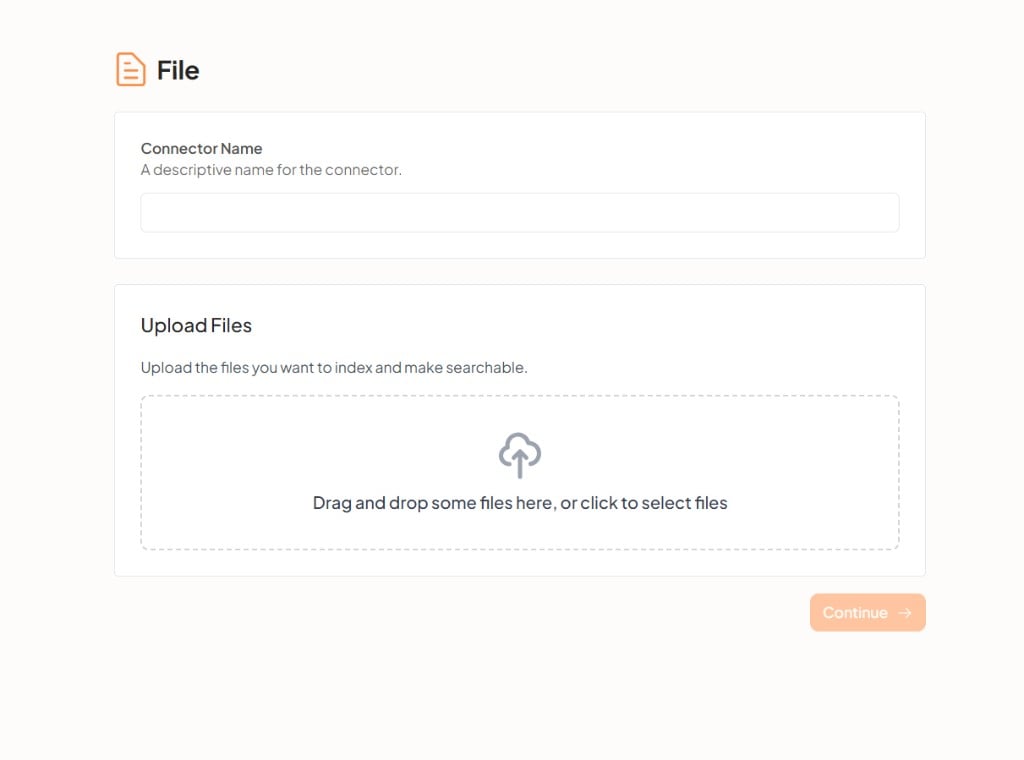
Admins can upload files and make them available to the workspace. Personal file connectors for individual users may be available depending on your deployment configuration.
Troubleshooting
For help, contact support@utopikai.com.