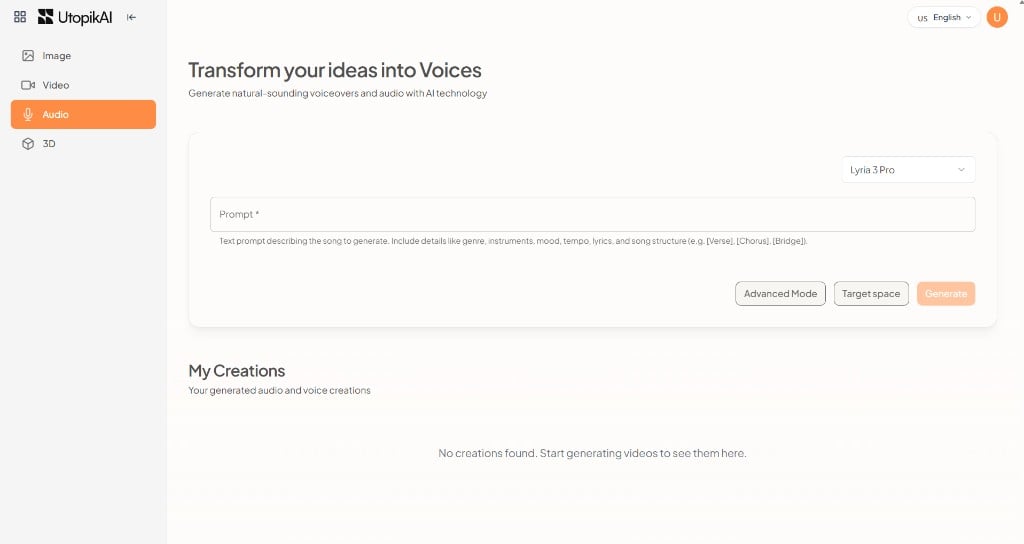
Open StudioAudio. The heading is Transform your ideas into Voices.
  1. Choose a generation model (for example Lyria 3 Pro for music, or ElevenLabs V3 for speech).
  2. Enter a Prompt. For songs, include genre, instruments, mood, tempo, lyrics, and structure such as [Verse], [Chorus], and [Bridge].
  3. Use Advanced Mode and Target space if needed.
  4. Click Generate.
Outputs appear under My Creations. The live audio catalog is on the UtopikAI audio models page. Which models you see in Studio depends on your tenant. Studio Audio — prompt and model

Audio catalog

For pricing, see the audio models page.