
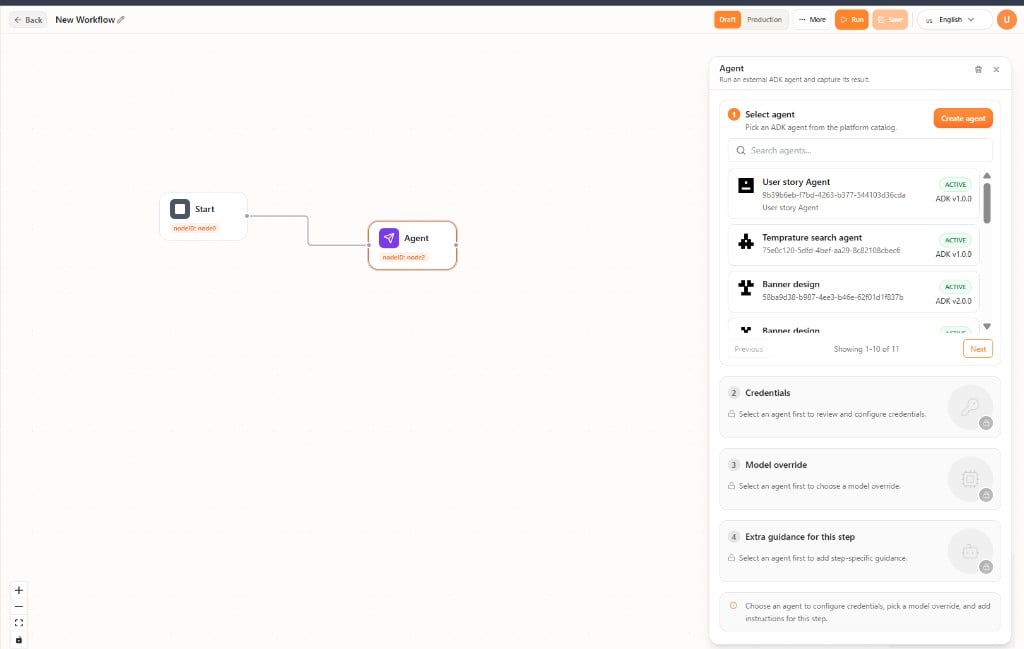
Configure the Agent node
Select the node to open the Agent panel.- Select agent — Search the catalog and pick an agent, or Create agent. Credentials, model override, and extra guidance stay locked until an agent is selected.
- Credentials — Review and configure credentials for that agent.
- Model override — Optionally choose a different LLM for this step only.
- Extra guidance for this step — Instructions that apply to this workflow step, not to the agent everywhere.