
UtopikAI’s approach to tools
Tools give an assistant or an agent extra capabilities. They allow it to:- Fetch information from an external source (for example a database, an API, or the internet)
- Perform actions (for example write to a database or send an email)
- Generate content (for example generate an image or create a plot)
Tools can be attached to both assistants (interactive chat) and agents (autonomous or scheduled work).
Connected Tools
Connected Tools has two tabs:- All Apps — Catalog of available apps you can connect.
- My Apps — Instances already created in your workspace.
All Apps
All Apps lists every app in the catalog. Search with Search all apps… and page through the list (the catalog is paginated).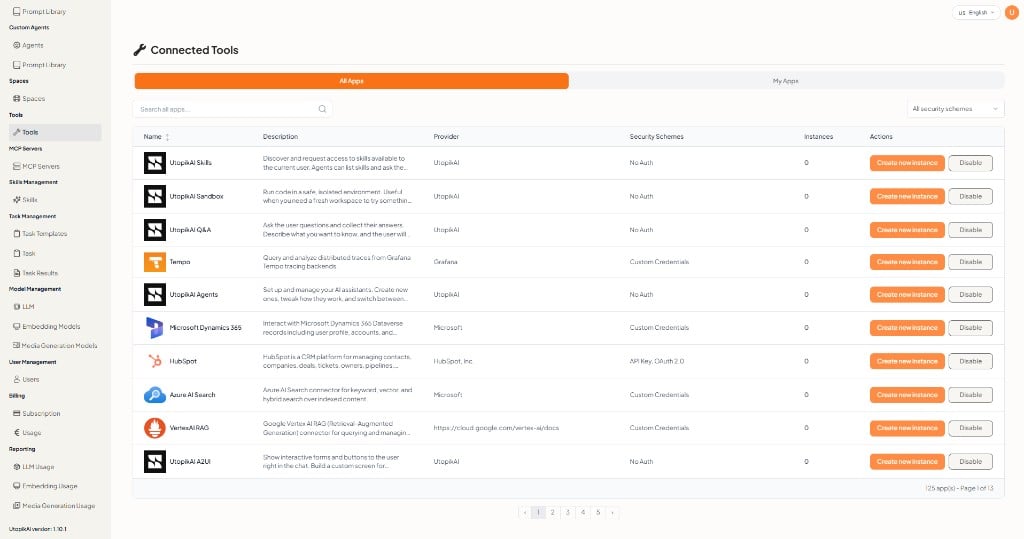
Create an instance
From All Apps, click Create new instance on the app you want to connect.1. Select a space
Choose the space this instance should belong to. Continue stays disabled until a space is selected.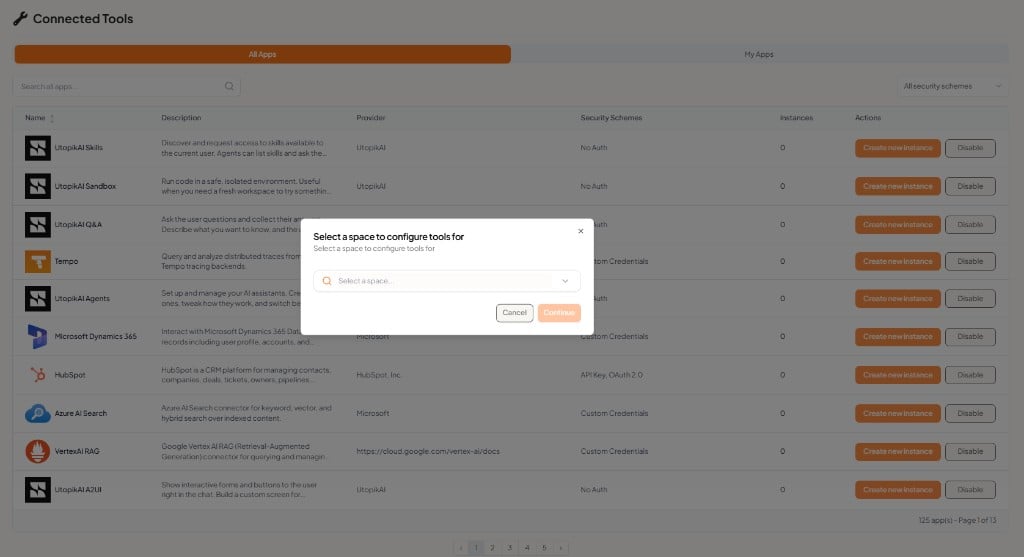
2. Name the instance
For apps that do not need extra credentials (for example No Auth), set a Display name and click Create. The field is prefilled with the app name.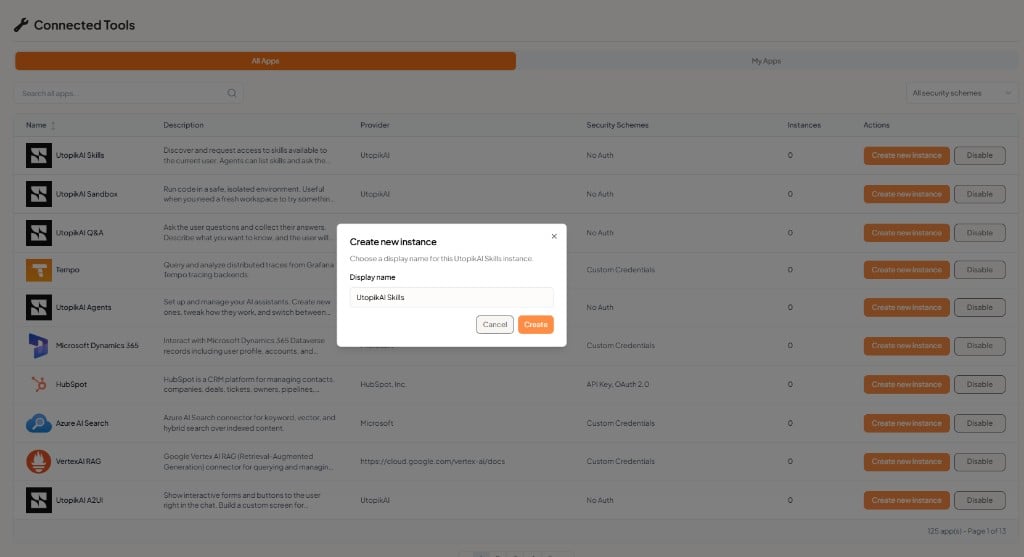
3. Enter credentials when required
Apps that use Custom Credentials, API Key, or OAuth 2.0 show a connection form after you pick a space. Fields depend on the app. Tempo is one example: Display name, optional HTTP Headers, and a required Backend Url, then Connect.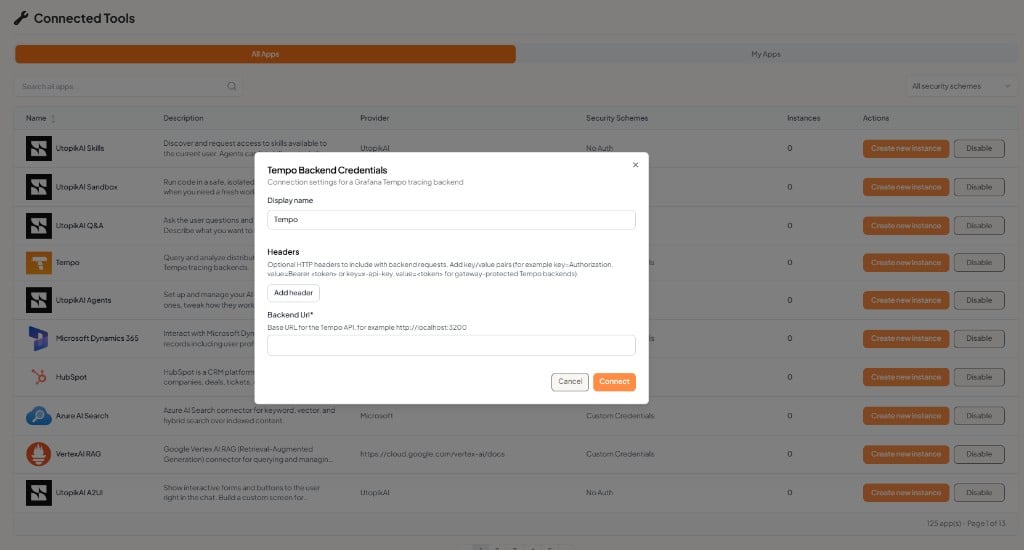
My Apps
My Apps lists the instances already connected in your workspace. Search with Search connected apps….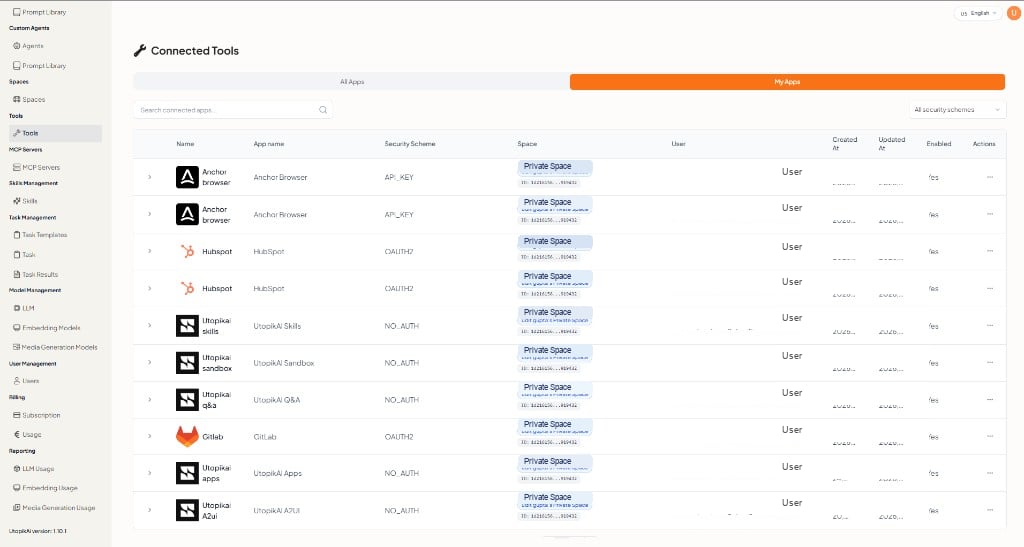
Use the chevron on the left of a row to expand instance details.
Tool sharing
After you connect a tool and attach it to an assistant or agent, you can control which Workspace members may use that tool instance’s credentials — without exposing API keys, tokens, or passwords. Open Credential sharing policy on the instance card to share with specific users or the entire Workspace. Sharing does not attach the tool to other assistants or agents. See Tool Sharing for the full workflow, examples, and policy options.Built-in tools
When you create an assistant or agent, UtopikAI also includes these built-in tools:SearchTool— Search over knowledge connected through Connectors. Included on built-in assistants such as Search and General.ImageGenerationTool— Generate images.InternetSearchTool— Search the internet.