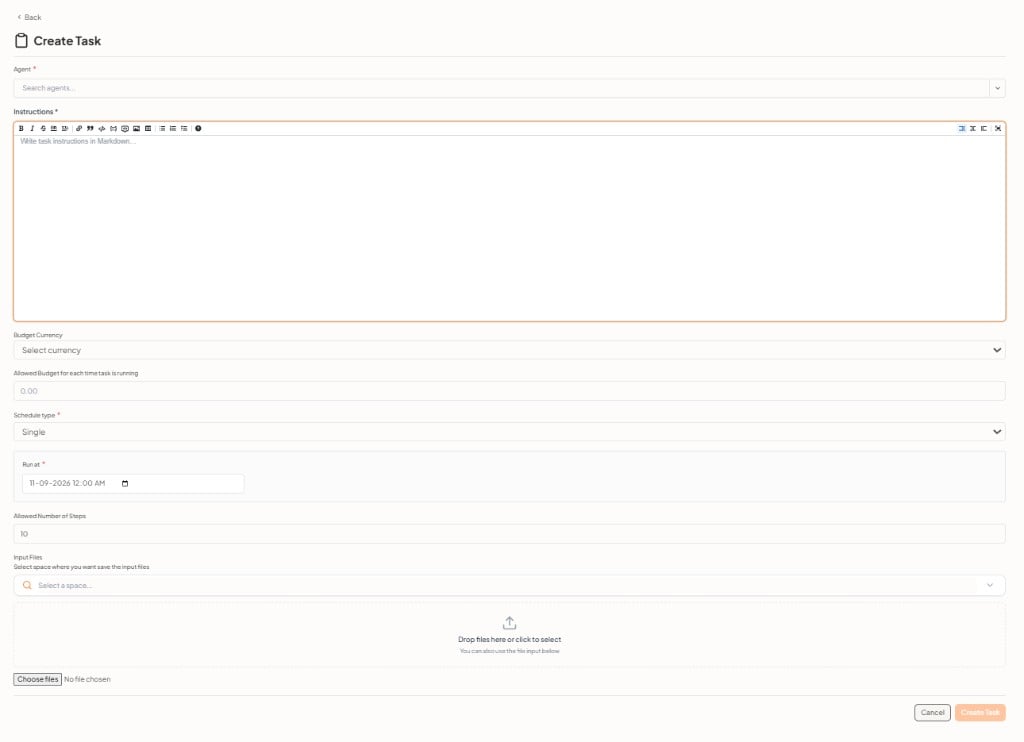
Tasks run assistant or agent work on a schedule or on demand, without a full workflow. Use tasks for recurring jobs such as daily summaries. Use workflows when the job needs multiple connected steps — a workflow can also run on a schedule from its Start trigger. Each task is attached to one assistant or one agent. Agents usually carry unattended runs. Assistants can also have tasks attached during setup.

Task Management

Administrators manage tasks from AdminTask Management:

Create a task from an assistant or agent

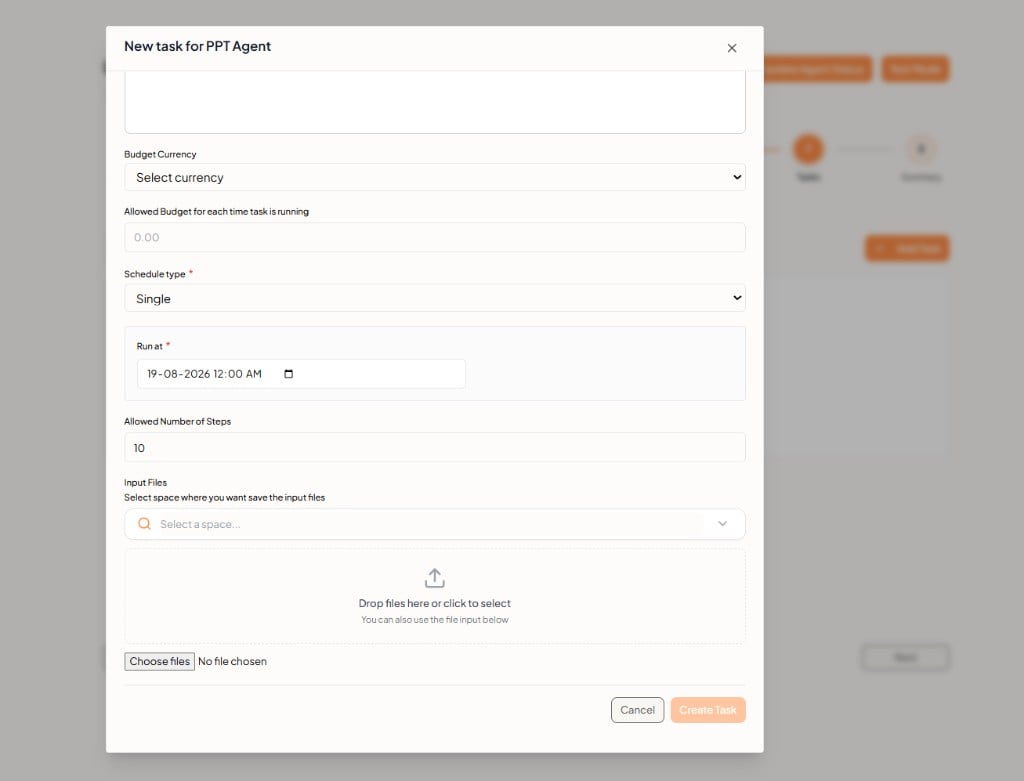
You can also add a task in step 7 of Creating Assistants or Creating Agents. Search existing tasks by Task ID, or click + Add Task. Tasks step — no tasks yet If none exist, the empty state is No tasks for this assistant yet or No tasks for this agent yet.
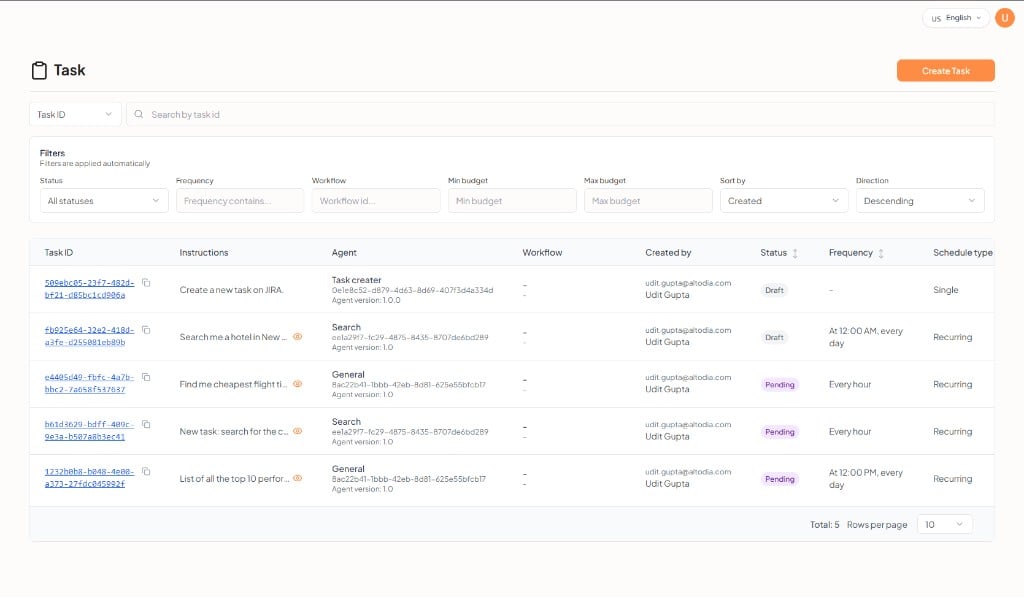
New task form

Click + Add Task. Fill in the form, then Create Task. New task form The Agent field is the assistant or agent you are editing (name, version, and status). It does not create a separate entity. When you add a task while editing an assistant, that field is the assistant. When you add a task while editing an agent, it is that agent. New task — input files Click Cancel to close without adding a task.