What are Connectors?
Connectors link UtopikAI to your organization’s data sources — cloud storage, wikis, code repositories, support tools, and more. Once connected, content is indexed so assistants, agents, and search can answer questions grounded in your team’s knowledge. Connectors help you:- Choose sources — Include only the data you want indexed.
- Configure access — Grant UtopikAI secure, permissioned access to each system.
- Keep content fresh — Set fetching and sync options so answers stay up to date.
Adding a Connector
Administrators add connectors from the Admin panel:- Open Admin from the profile menu (top right).
- Go to Connectors → Add Connector.
- Search or browse by category (for example Storage or Wiki).
- Select a connector, complete the setup form, and save.
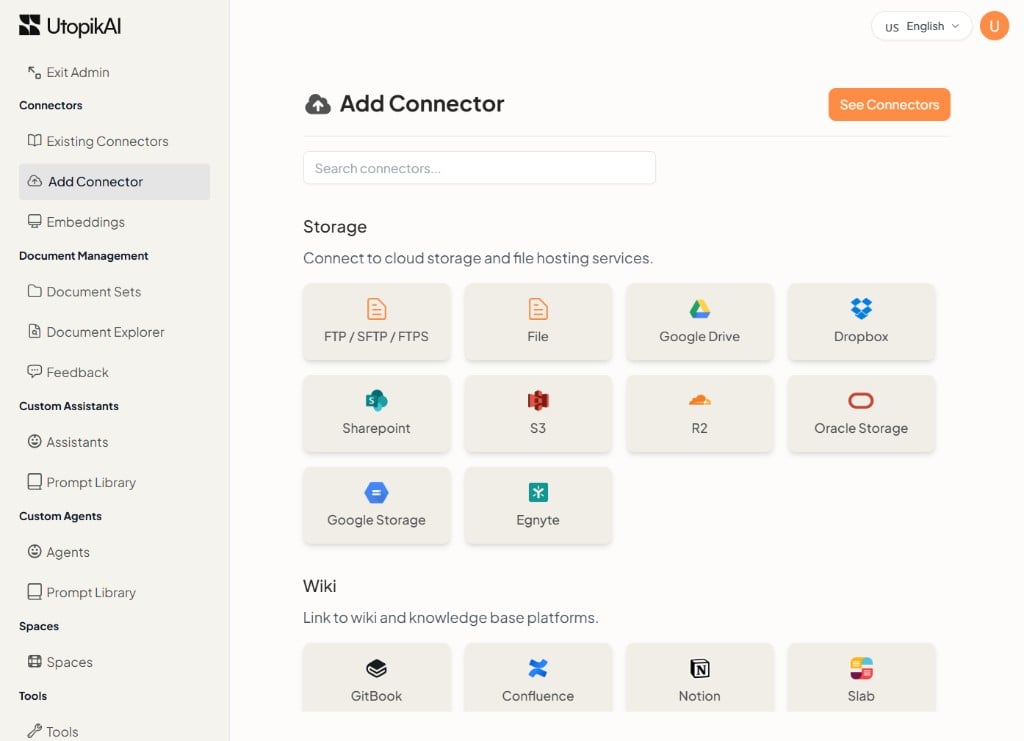
Connector categories
The Add Connector page groups available integrations into the following categories:
For setup instructions, open Connectors in the sidebar for the full list of supported integrations.
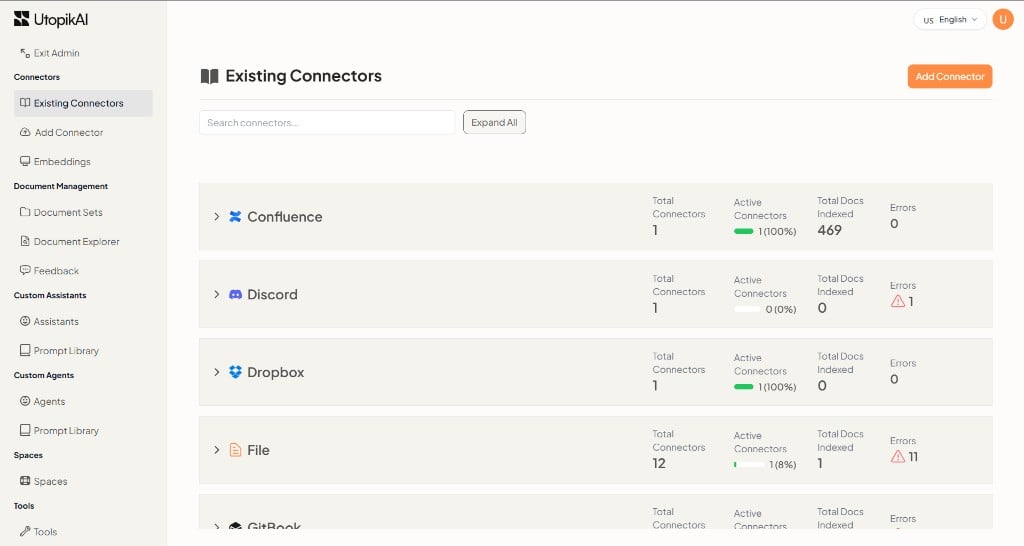
Monitoring Connectors
Open the Connectors page from the Admin panel (profile icon → Admin → Existing Connectors). The Existing Connectors view shows each connector type with summary metrics — total connectors, active connectors, documents indexed, and errors. Expand a row to see individual connector instances and their status.