
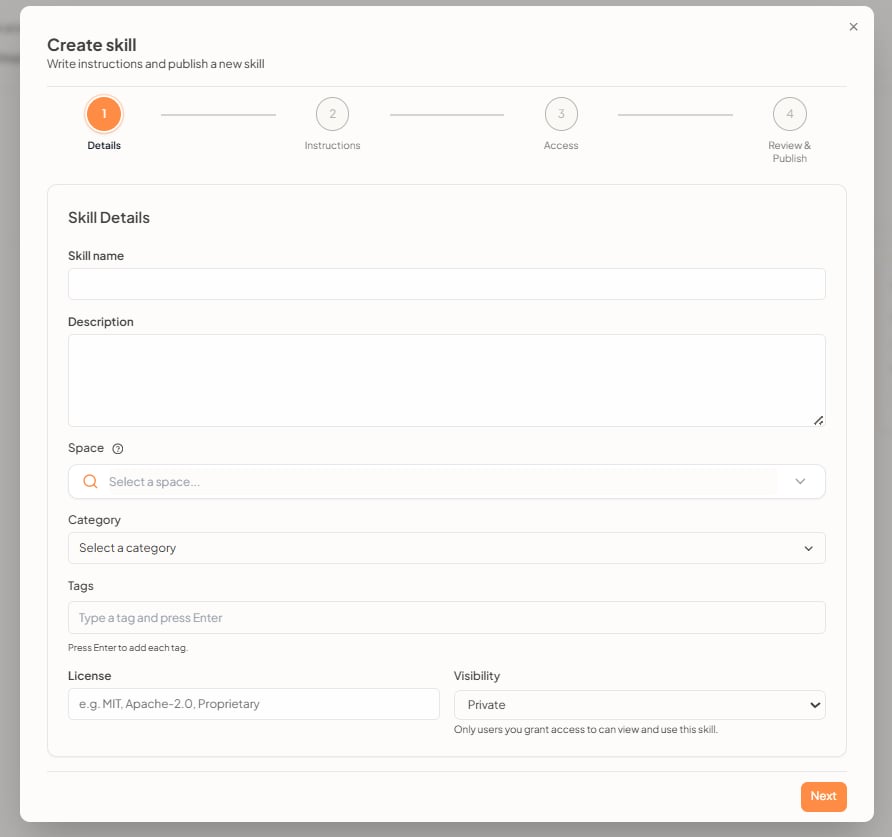
1. Details
Enter the skill metadata:- Skill name
- Description
- Space — where the skill will be created
- Category
- Tags — type a tag and press Enter
- License — for example MIT, Apache-2.0, or Proprietary
- Visibility — for example Private: only users you grant access to can view and use this skill
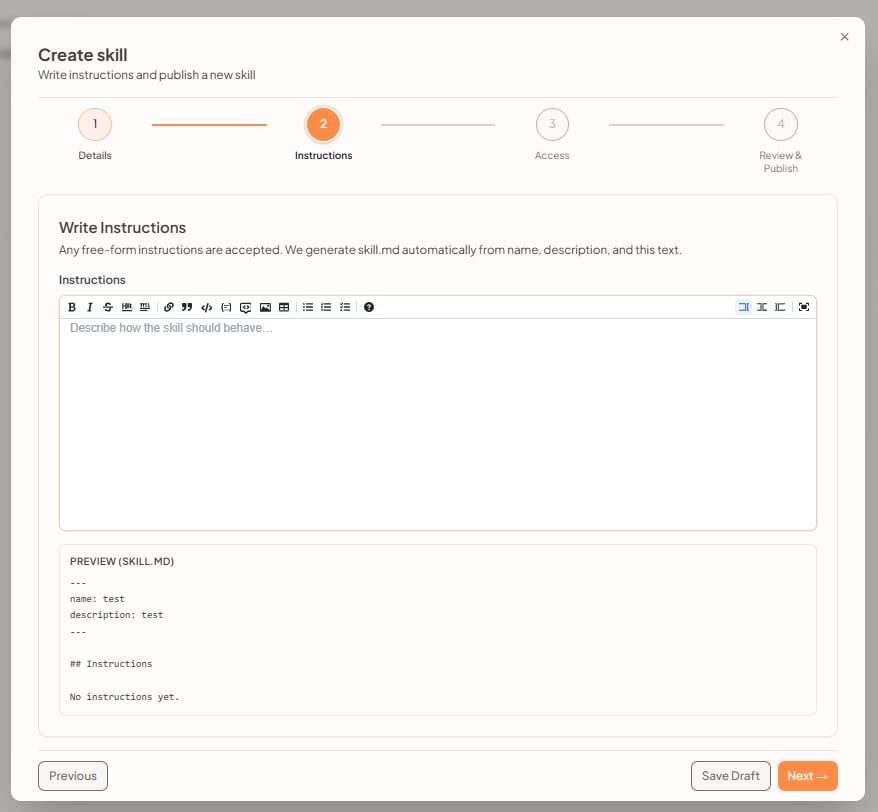
2. Instructions
Write how the skill should behave. Free-form instructions are accepted. UtopikAI generatesskill.md from the name, description, and this text.
The editor includes formatting such as bold, lists, links, code, images, and tables. A Preview (skill.md) pane shows the generated file, including name and description.
3. Access
Grant who can view and use the skill.- Skill access to specific users — Add user, search by name or email, and assign a role. You can edit or remove a user later.
- Skill access to whole workspace — Configure to grant access to all workspace users when you want everyone to use the skill.