
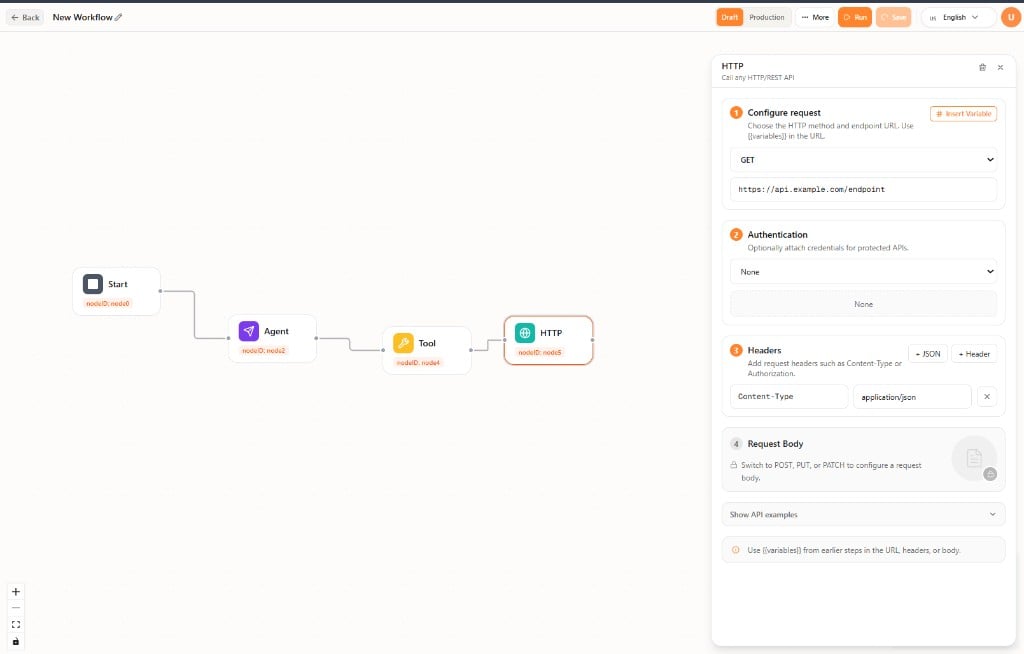
Configure the request
Select the node to open the HTTP panel.- Configure request — Choose a method (for example GET) and enter the endpoint URL. Use Insert Variable to put earlier-step values in the URL.
- Authentication — Choose how the request authenticates, or None.
- Headers — Add headers (for example
Content-Type: application/json) as JSON or as individual header rows. - Request Body — Available for POST, PUT, and PATCH.
{{variables}} from earlier steps in the URL, headers, or body. Open Show API examples for sample request shapes.