> ## Documentation Index
> Fetch the complete documentation index at: https://docs.utopikai.com/llms.txt
> Use this file to discover all available pages before exploring further.
# Workflows Overview
> Create, run, and manage automations in UtopikAI
**Workflows** are multi-step automations you create, run, and manage. They are not the same as **[Studio](/studio/overview)**. Studio generates images, video, audio, and 3D. Workflows chain **agents**, **tools**, HTTP calls, and logic on a canvas.
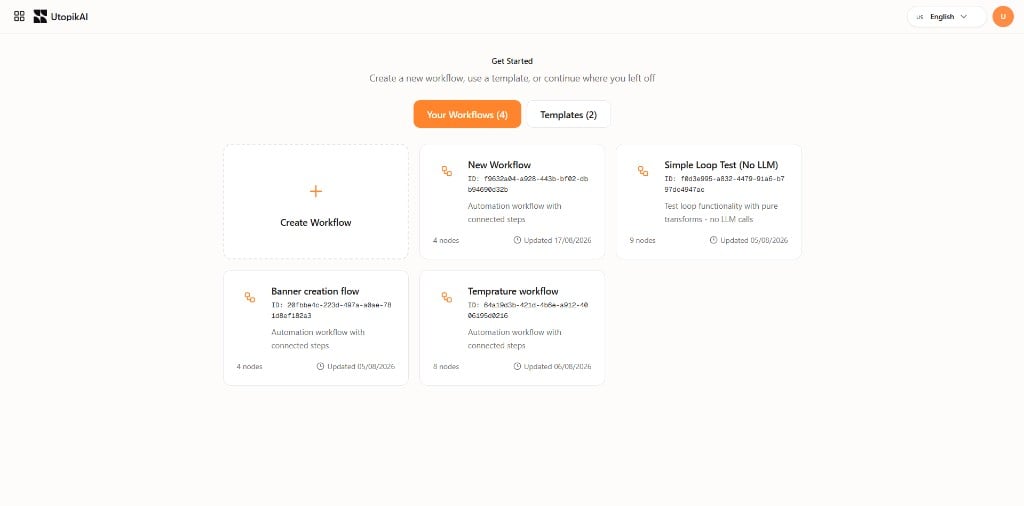
Open **Workflows** from the product. The **Get Started** page lets you create a new workflow, start from a template, or continue one you already saved.
 ## Your Workflows
The **Your Workflows** tab lists automations you have created.
* **Create Workflow** — Start a blank workflow.
* Each saved workflow shows a **name**, short **description**, number of **nodes**, and last **updated** date.
Open a card to continue editing.
## Templates
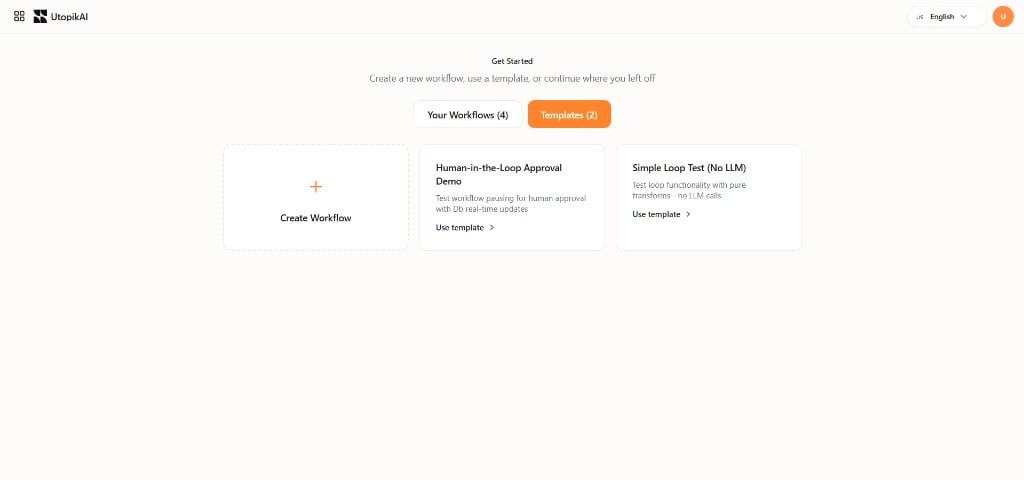
Switch to **Templates** to start from a ready-made flow. Use **Create Workflow** for a blank canvas, or **Use template** on a card to copy that flow.
## Your Workflows
The **Your Workflows** tab lists automations you have created.
* **Create Workflow** — Start a blank workflow.
* Each saved workflow shows a **name**, short **description**, number of **nodes**, and last **updated** date.
Open a card to continue editing.
## Templates
Switch to **Templates** to start from a ready-made flow. Use **Create Workflow** for a blank canvas, or **Use template** on a card to copy that flow.
 ## Build and run
After you create or open a workflow, you land in the [editor](/workflows/editor). Every flow starts with a **Start** node. Choose a **Trigger type**: **Manual (Click Run)** or **Schedule (Time-based)**. Add nodes from the library, connect them, then **Run** and **Save**. Use **Draft** while you test; switch to **Production** when the flow is ready to use.
| Page | What it covers |
| ------------------------------- | --------------------------------------------------------- |
| **[Editor](/workflows/editor)** | Canvas, Start trigger, node library, Draft and Production |
| **[Agent](/workflows/agent)** | Run an agent as a workflow step |
| **[Tool](/workflows/tool)** | Call a connected app function |
| **[HTTP](/workflows/http)** | Call any HTTP/REST API |
| **[Logic](/workflows/logic)** | Condition, While, and User Approval |
## Related documentation
* [Editor](/workflows/editor)
* [Creating Agents](/guides/agents)
* [Tools Overview](/tools/overview)
* [Studio Overview](/studio/overview)
* [Introduction](/introduction)
## Build and run
After you create or open a workflow, you land in the [editor](/workflows/editor). Every flow starts with a **Start** node. Choose a **Trigger type**: **Manual (Click Run)** or **Schedule (Time-based)**. Add nodes from the library, connect them, then **Run** and **Save**. Use **Draft** while you test; switch to **Production** when the flow is ready to use.
| Page | What it covers |
| ------------------------------- | --------------------------------------------------------- |
| **[Editor](/workflows/editor)** | Canvas, Start trigger, node library, Draft and Production |
| **[Agent](/workflows/agent)** | Run an agent as a workflow step |
| **[Tool](/workflows/tool)** | Call a connected app function |
| **[HTTP](/workflows/http)** | Call any HTTP/REST API |
| **[Logic](/workflows/logic)** | Condition, While, and User Approval |
## Related documentation
* [Editor](/workflows/editor)
* [Creating Agents](/guides/agents)
* [Tools Overview](/tools/overview)
* [Studio Overview](/studio/overview)
* [Introduction](/introduction)