> ## Documentation Index
> Fetch the complete documentation index at: https://docs.utopikai.com/llms.txt
> Use this file to discover all available pages before exploring further.
# Logic
> Branch, loop, and pause a workflow for approval
Logic nodes control the path a workflow takes. Add them from the **Logic** group in the node library.
## Condition
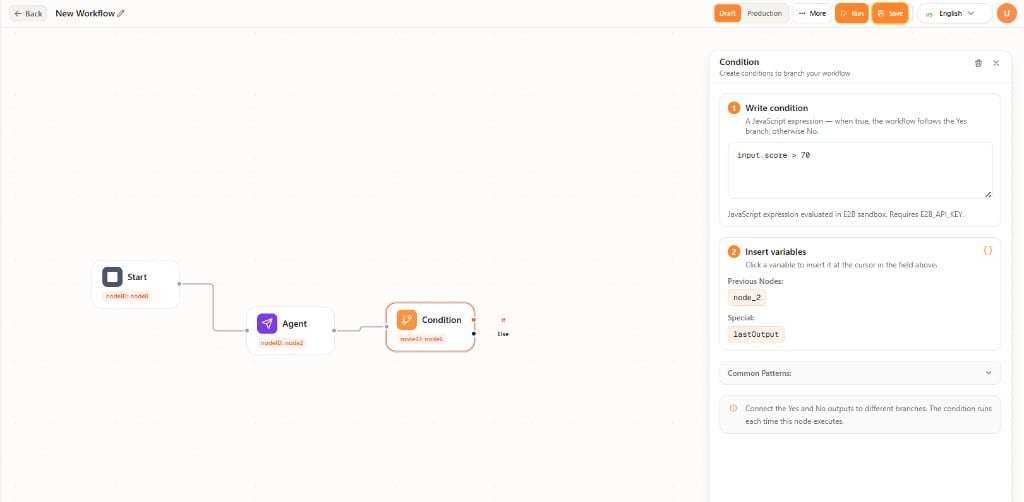
**Condition** branches the flow. The node has **If** and **Else** outputs. Connect each output to a different path.
Write an expression that evaluates to true or false, for example `input.score > 70`. Insert variables from previous nodes or **lastOutput**.
 ## While
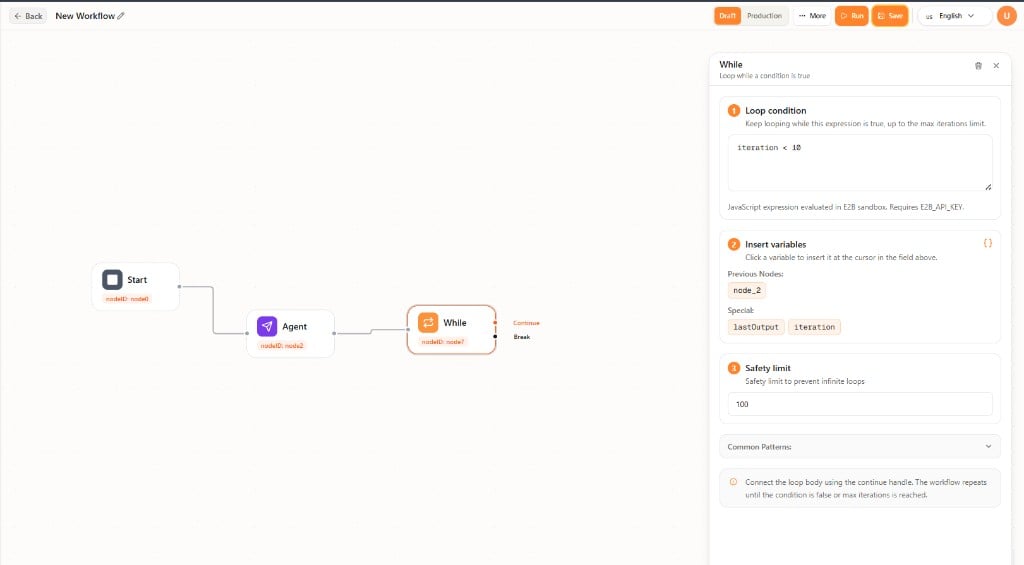
**While** repeats steps while a condition is true. The node has **Continue** (loop body) and **Break** (when the loop should stop) outputs.
Write the loop condition, for example `iteration < 10`. Insert variables from previous nodes, **lastOutput**, or **iteration**. Set a **Safety limit** (maximum iterations) so the loop cannot run forever.
Connect the loop body to **Continue**. The workflow repeats until the condition is false or the safety limit is reached.
## While
**While** repeats steps while a condition is true. The node has **Continue** (loop body) and **Break** (when the loop should stop) outputs.
Write the loop condition, for example `iteration < 10`. Insert variables from previous nodes, **lastOutput**, or **iteration**. Set a **Safety limit** (maximum iterations) so the loop cannot run forever.
Connect the loop body to **Continue**. The workflow repeats until the condition is false or the safety limit is reached.
 ## User Approval
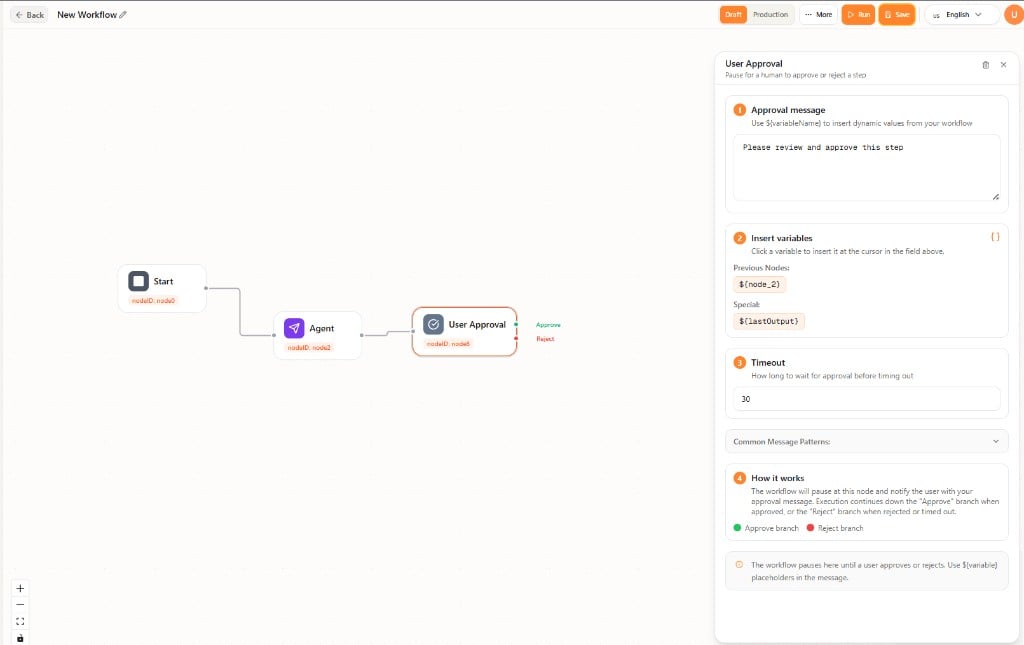
**User Approval** pauses the workflow until a person approves or rejects the step. The node has **Approve** and **Reject** outputs.
1. **Approval message** — Text shown to the reviewer. You can include `${variable}` placeholders.
2. **Insert variables** — Values from previous nodes or **lastOutput**.
3. **Timeout** — How long to wait before the step times out.
The **Approve** path continues when the step is approved. The **Reject** path continues when it is rejected or the timeout is reached.
## User Approval
**User Approval** pauses the workflow until a person approves or rejects the step. The node has **Approve** and **Reject** outputs.
1. **Approval message** — Text shown to the reviewer. You can include `${variable}` placeholders.
2. **Insert variables** — Values from previous nodes or **lastOutput**.
3. **Timeout** — How long to wait before the step times out.
The **Approve** path continues when the step is approved. The **Reject** path continues when it is rejected or the timeout is reached.
 ## Related documentation
* [Workflows Overview](/workflows/overview)
* [Editor](/workflows/editor)
* [Agent](/workflows/agent)
## Related documentation
* [Workflows Overview](/workflows/overview)
* [Editor](/workflows/editor)
* [Agent](/workflows/agent)