> ## Documentation Index
> Fetch the complete documentation index at: https://docs.utopikai.com/llms.txt
> Use this file to discover all available pages before exploring further.
# Jira Connector
> Access the latest issue and project updates from Jira
## How it works
The Jira connector pulls in all tickets from the specified projects every **10** minutes.
For every jira issue this connector will pull:
* Title
* Description
* Common fields (like assignee, reporter, status etc.)
* Custom fields
* Comments
## Setting up
### Authorization
1. **Jira Cloud**: follow the guide described [here](https://docs.searchunify.com/Content/Content-Sources/Atlassian-Jira-Confluence-Authentication-Create-API-Token.htm) to get an access token.
2. **Jira Server**: follow the guide described [here](https://confluence.atlassian.com/enterprise/using-personal-access-tokens-1026032365.html) to get a personal access token.
### Indexing
1. Navigate to the Admin Dashboard and select the **Jira** Connector
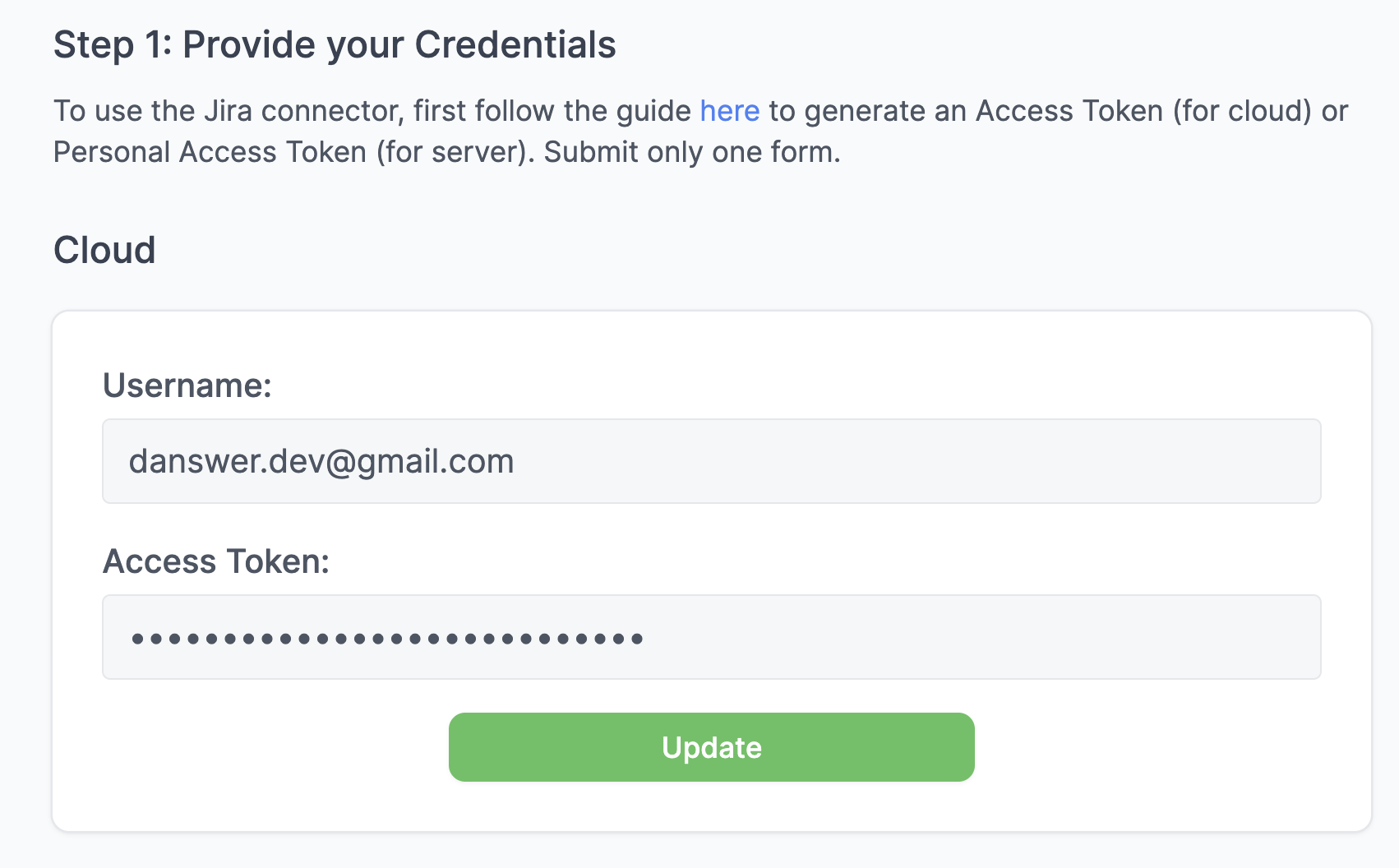
2. Provide credentials
> #### Cloud
>
> Provide the **Access Token** and the **Username** it belongs to:
>
>  > #### Server
>
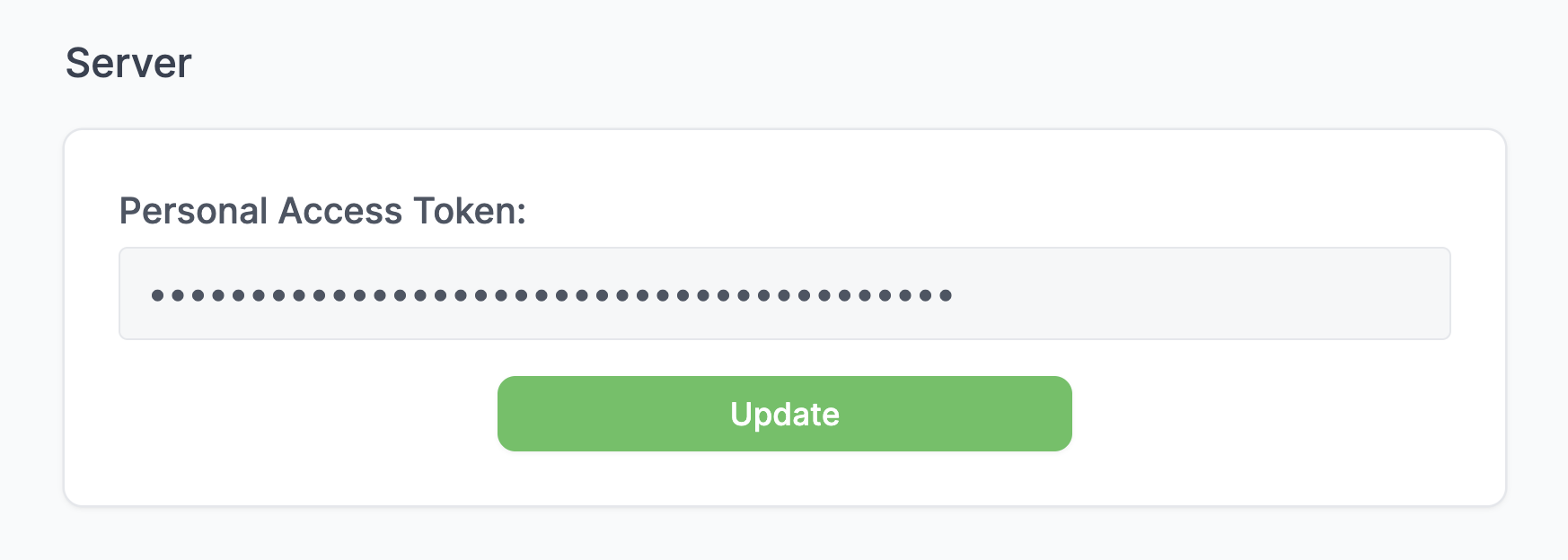
> Provide the **Personal Access Token**:
>
>
> #### Server
>
> Provide the **Personal Access Token**:
>
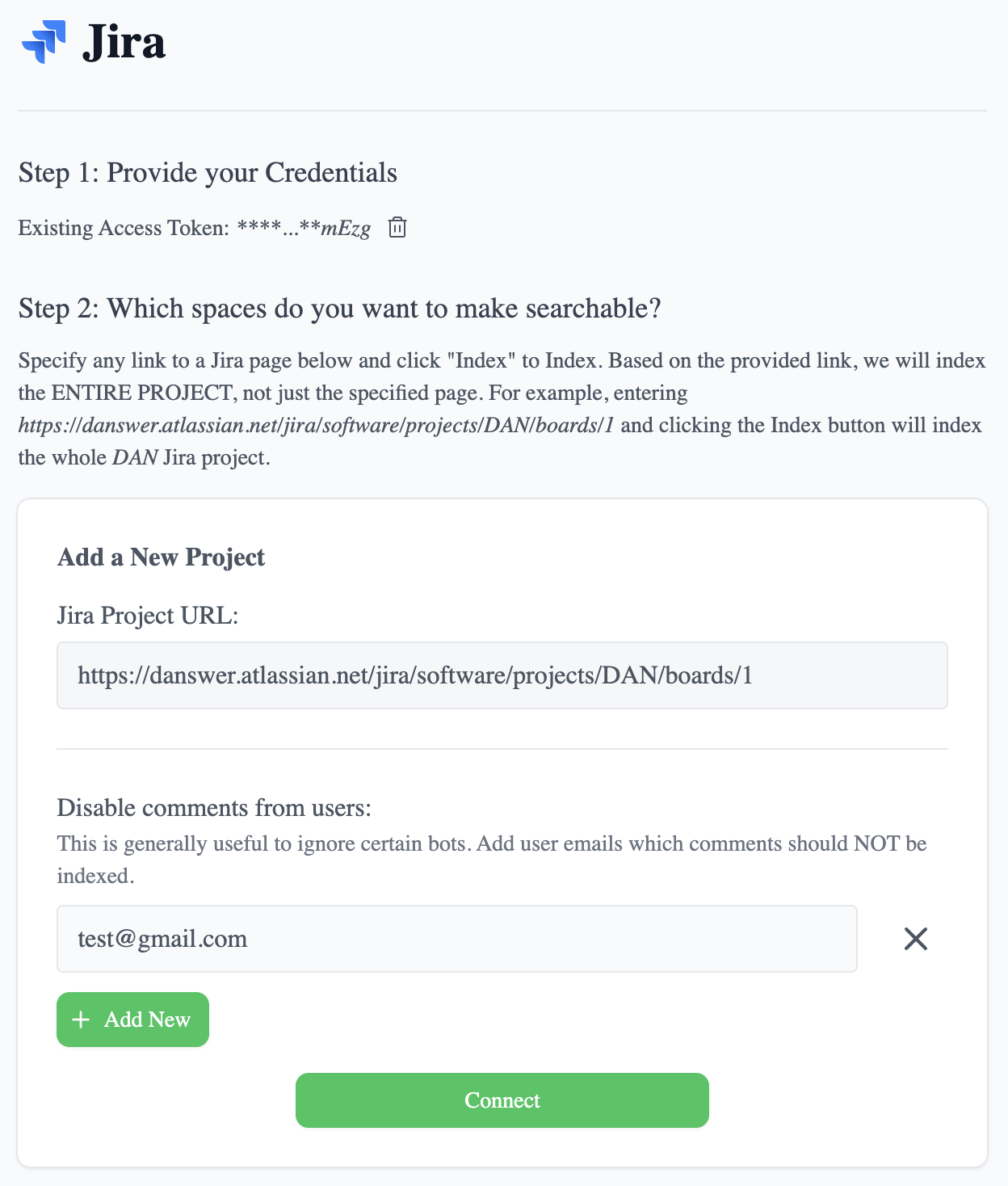
>  3. For each project you want to index, provide a single URL to any page in the project. Also you can specify
which users comments not to index (this is generally useful to ignore certain bots). For example, it might look like the following:
3. For each project you want to index, provide a single URL to any page in the project. Also you can specify
which users comments not to index (this is generally useful to ignore certain bots). For example, it might look like the following:
 4. Click the `Connect` button! All your Jira tickets in that space will now be pulled into UtopikAI every **10** minutes.