> ## Documentation Index
> Fetch the complete documentation index at: https://docs.utopikai.com/llms.txt
> Use this file to discover all available pages before exploring further.
# Fireflies Connector
> Access knowledge from your Fireflies meetings
## How it works
The Fireflies connector indexes meetings from your Fireflies account.
## Setting up
### Authorization
1. Login to Fireflies
* The Fireflies user must be an authorized user.
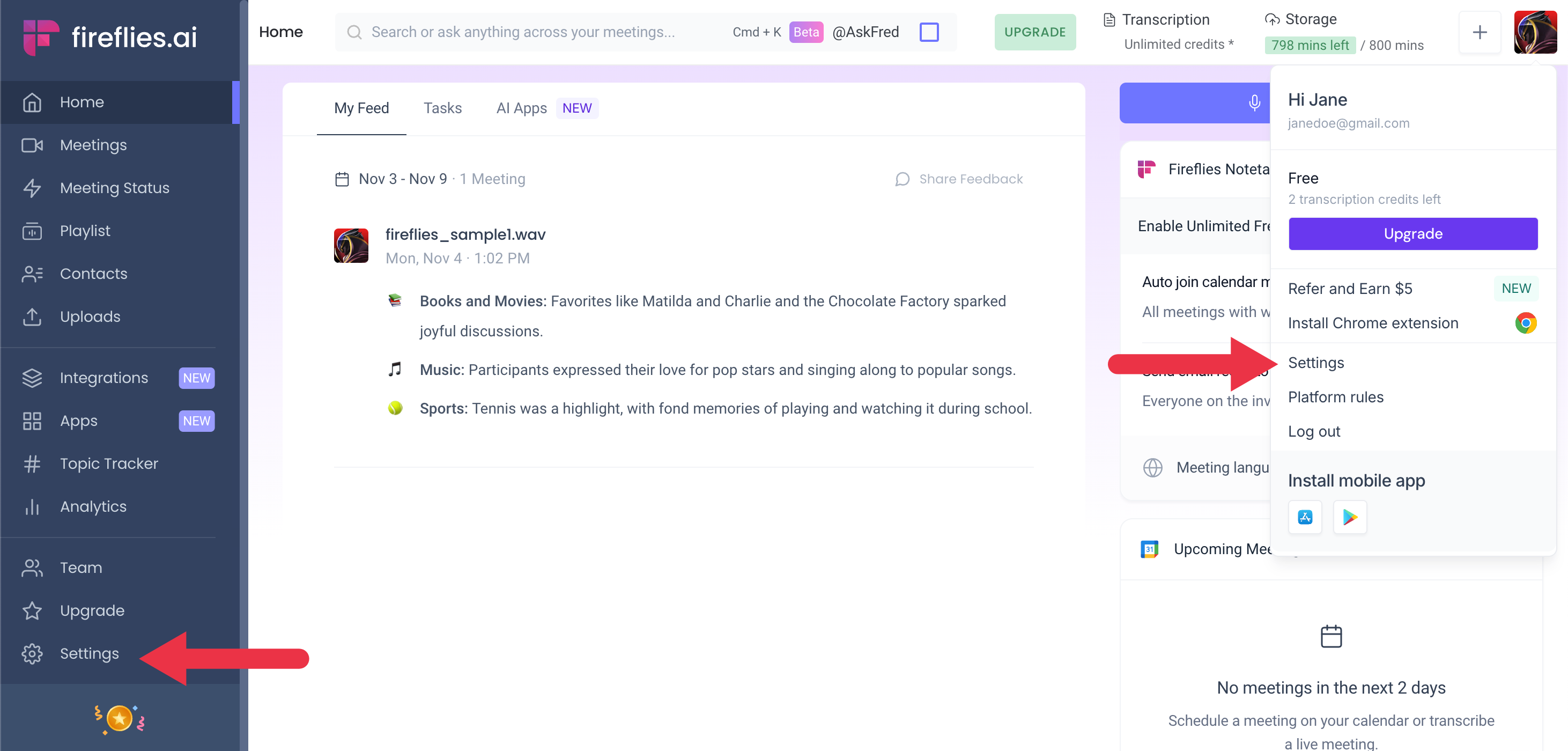
2. Click on your profile avatar and select **settings**, or click on **settings** in the sidebar.
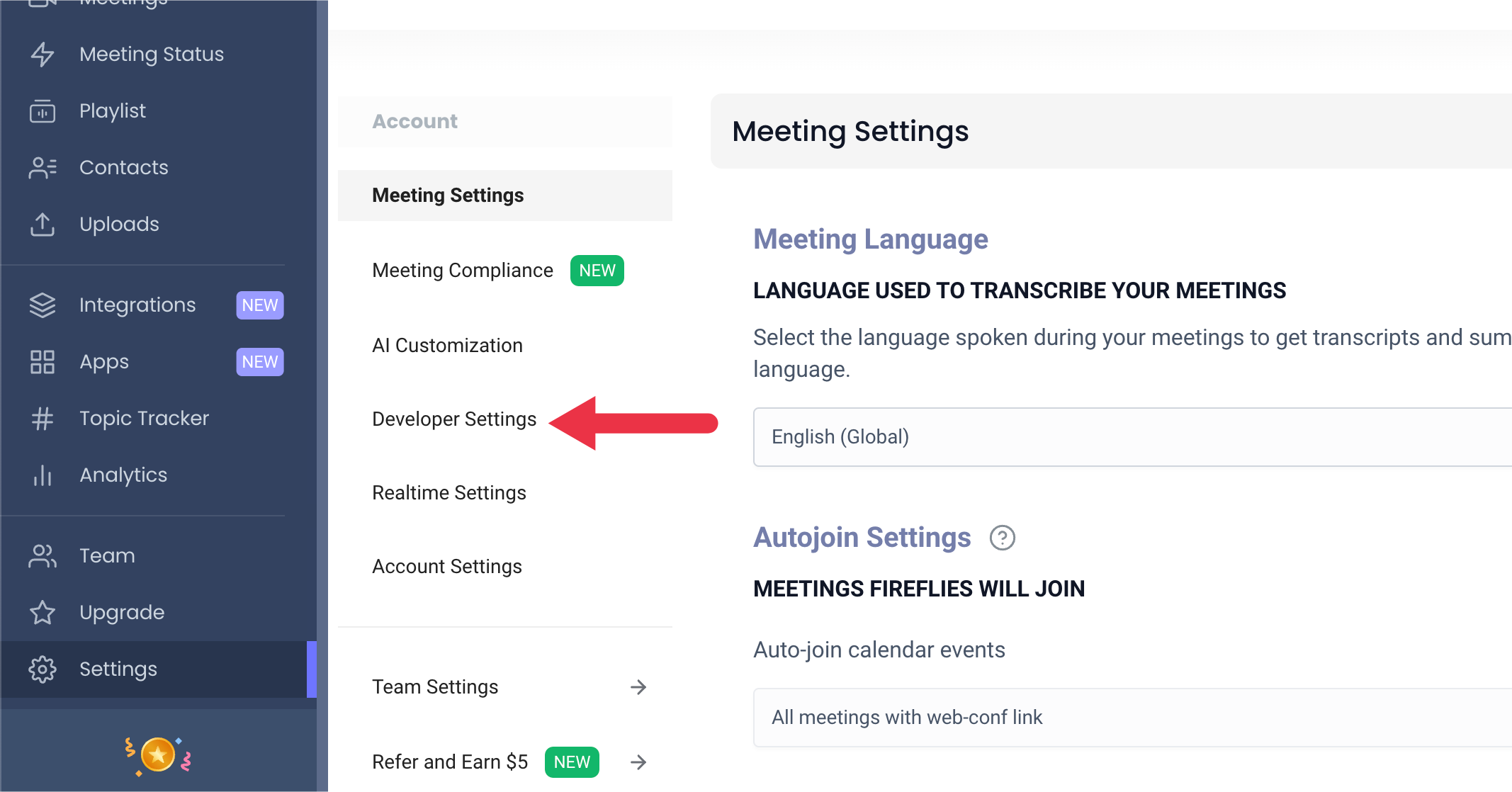
 3. Select **Developer Settings**.
 4. Copy the **API Key**.
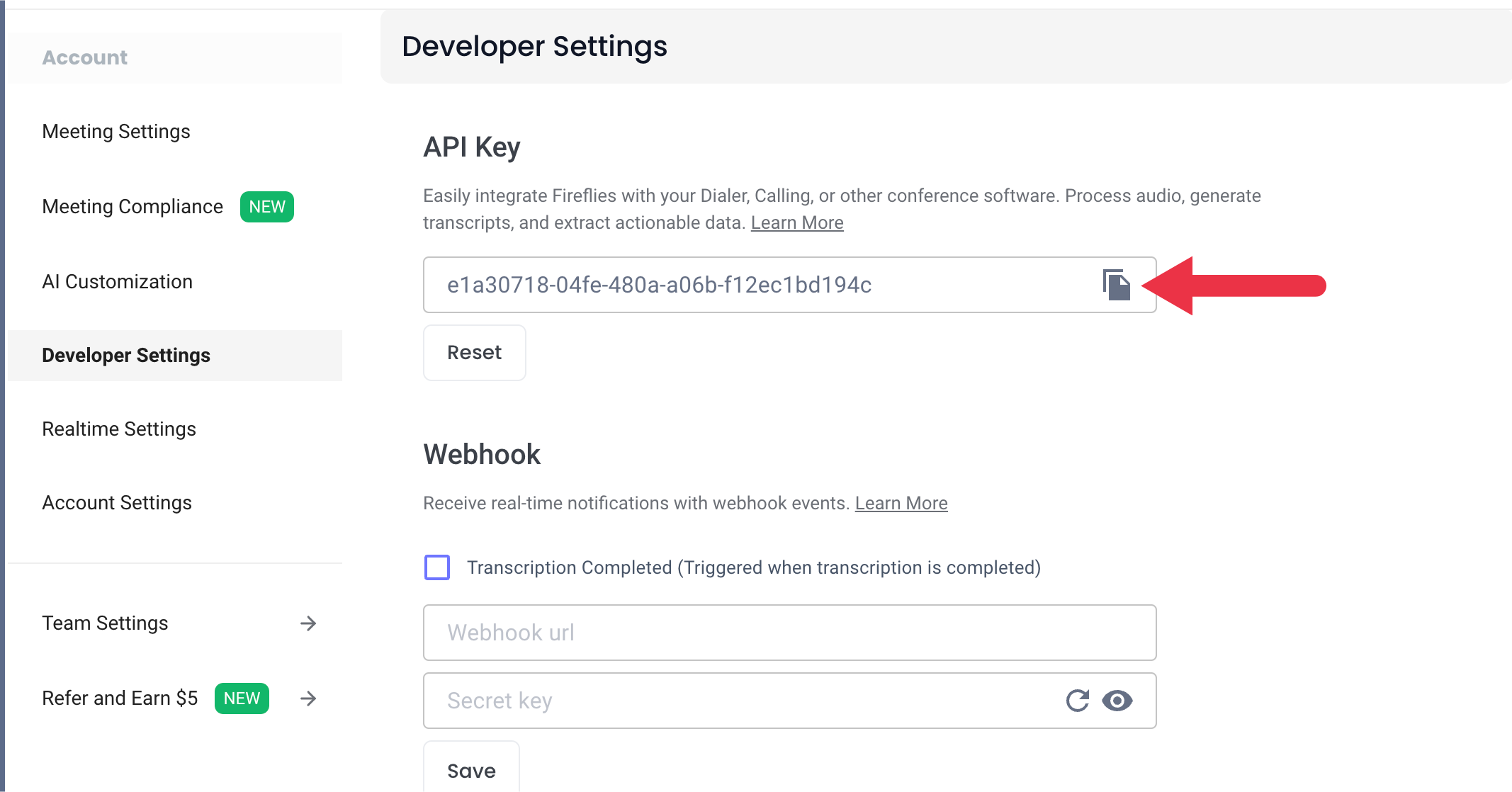 5. Once you have the API key, you can use it to authorize your Fireflies connector.
### Indexing
1. Navigate to the Admin Dashboard.
2. In the sidebar select **Add Connector** and click on the **Fireflies** tile.
3. Select **Create New** and then provide your **API Key**, along with an optional name for your credentials.
4. Click **Create** and your credentials will be saved and automatically selected.
5. After selecting **Continue** you can choose a name, determine the document access, and assign groups for your connector.
6. Click **Create Connector** and your connector will be created. UtopikAI will automatically begin indexing your meetings.
5. Once you have the API key, you can use it to authorize your Fireflies connector.
### Indexing
1. Navigate to the Admin Dashboard.
2. In the sidebar select **Add Connector** and click on the **Fireflies** tile.
3. Select **Create New** and then provide your **API Key**, along with an optional name for your credentials.
4. Click **Create** and your credentials will be saved and automatically selected.
5. After selecting **Continue** you can choose a name, determine the document access, and assign groups for your connector.
6. Click **Create Connector** and your connector will be created. UtopikAI will automatically begin indexing your meetings.